Figma Go
Figma MCP for free users — no rate limits, full read/write, text to designs, designs to code
Figma MCP for free users — no rate limits, full read/write, text to designs, designs to code
{
    "mcpServers": {
        "figma-mcp-go": {
            "command": "npx",
            "args": [
                "-y",
                "@vkhanhqui/figma-mcp-go"
            ]
        }
    }
}
# figma-mcp-go Figma MCP — Free, No Rate Limits [](https://glama.ai/mcp/servers/vkhanhqui/figma-mcp-go) Open-source Figma MCP server with full read/write access via plugin — no REST API, no rate limits. Turn text into designs and designs into real code. Works with Cursor, Claude, GitHub Copilot, and any MCP-compatible AI tool. **Highlights** - No Figma API token required - No rate limits — free plan friendly - **Read and Write** live Figma data via plugin bridge — 73 tools total - Full design automation — styles, variables, components, prototypes, and content - Design strategies included — read_design_strategy, design_strategy, and more prompts built in **Styles, Variables, Components, Prototypes, and Content** https://github.com/user-attachments/assets/eae41471-fc72-4574-8261-4f42c38b8c99 **Text to Design, Design to Code** https://github.com/user-attachments/assets/17bda971-0e83-4f18-8758-8ac2b8dcba62 --- ## Why this exists Most Figma MCP servers rely on the **Figma REST API**. That sounds fine… until you hit this: | Plan | Limit | |------|-------| | Starter / View / Collab | **6 tool calls/month** | | Pro / Org (Dev seat) | 200 tool calls/day | | Enterprise | 600 tool calls/day | If you're experimenting with AI tools, you'll burn through that in minutes. I didn't have enough money to pay for higher limits. So I built something that **doesn't use the API at all**. --- ## Installation & Setup Install via `npx` — no build step required. Watch the setup video or follow the steps below. [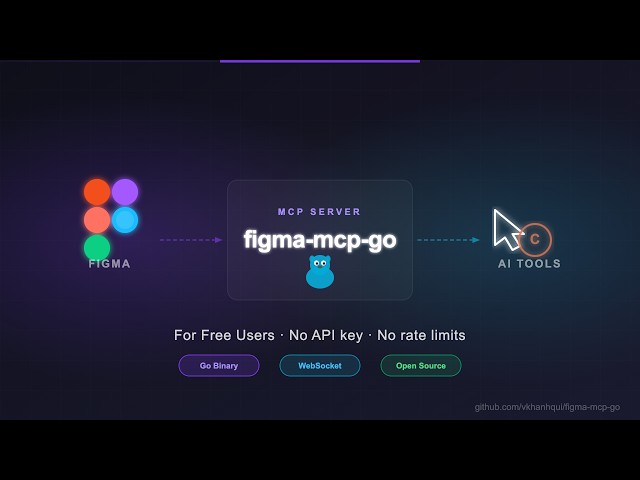](https://youtu.be/DjqyU0GKv9k) ### 1. Configure your AI tool **Claude Code CLI** ```bash claude mcp add -s project figma-mcp-go -- npx -y @vkhanhqui/figma-mcp-go@latest ``` **Codex CLI** ```bash codex mcp add figma-mcp-go -- npx -y @vkhanhqui/figma-mcp-go@latest ``` **.mcp.json** (Claude and other MCP-compatible tools) ```json { "mcpServers": { "figma-mcp-go": { "command": "npx", "args": ["-y", "@vkhanhqui/figma-mcp-go"] } } } ``` **.vscode/mcp.json** (Cursor / VS Code / GitHub Copilot) ```json { "servers": { "figma-mcp-go": { "type": "stdio", "command": "npx", "args": [ "-y", "@vkhanhqui/figma-mcp-go" ] } } } ``` ### 2. Install the Figma plugin 1. In Figma Desktop: **Plugins → Development → Import plugin from manifest** 2. Select `manifest.json` from the [plugin.zip](https://github.com/vkhanhqui/figma-mcp-go/releases) 3. Run the plugin inside any Figma file --- ## Available Tools ### Write — Create | Tool | Description | |------|-------------| | `create_frame` | Create a frame with optional auto-layout, fill, and parent | | `create_rectangle` | Create a rectangle with optional fill and corner radius | | `create_ellipse` | Create an ellipse or circle | | `create_text` | Create a text node (font loaded automatically) | | `import_image` | Decode base64 image and place it as a rectangle fill | | `create_component` | Convert an existing FRAME node into a reusable component | | `create_section` | Create a Figma Section node to organise frames on a page | ### Write — Modify | Tool | Description | |------|-------------| | `set_text` | Update text content of an existing TEXT node | | `set_fills` | Set solid fill color (hex) on a node | | `set_strokes` | Set solid stroke col...
A collection of MCP servers.
Chrome DevTools for coding agents
Enhanced ChatGPT Clone: Features Agents, MCP, DeepSeek, Anthropic, AWS, OpenAI, Responses API, Azure, Groq, o1, GPT-5, M...
Playwright MCP server
GitHub's official MCP Server
🚀 The fast, Pythonic way to build MCP servers and clients.